

Scale your visual development globally without backend code.
Webflow is the premier platform for visual development, but native localization can be complex and expensive. MultiLipi integrates directly into Webflow's architecture via a single script injection, instantly transforming your static pages and CMS collections into a multilingual infrastructure with full SEO indexing.
This guide details the integration process using Webflow's كود مخصص الميزة.
1. متطلبات النشر المسبقة
Before beginning, ensure your environment meets the requirements:
Webflow Site Plan
يجب أن تكون على Basic Site Plan (or higher) to unlock the "Custom Code" feature.
مفتاح واجهة برمجة تطبيقات MultiLipi
حدد موقع هذا في لوحة التحكم الخاصة بك تحت الإعدادات > عام.
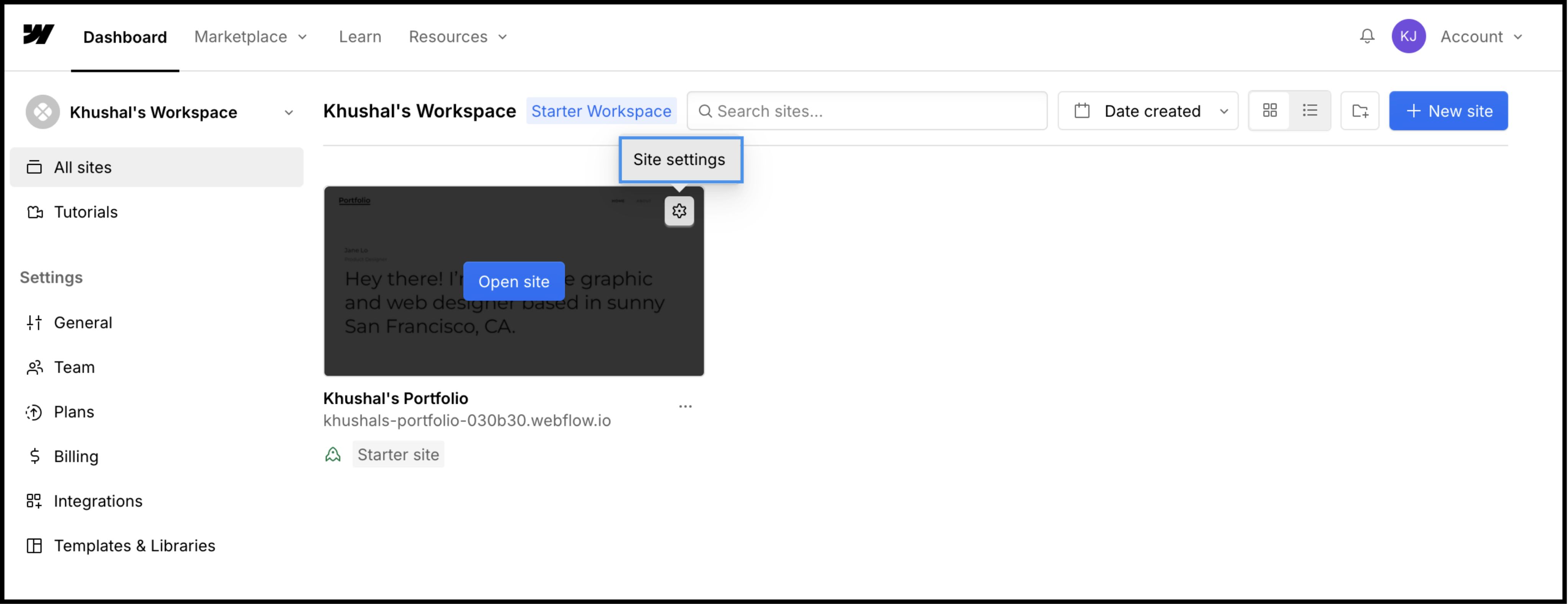
2. Step 1: Access Site Architecture
We will inject the translation engine into the global header to ensure it persists across all pages and CMS templates.
- 1
تسجيل الدخول إلى Webflow Dashboard.
- 2
Locate your project card and click the Settings Icon (⚙️) (or select Site Settings from the Designer menu).
- 3
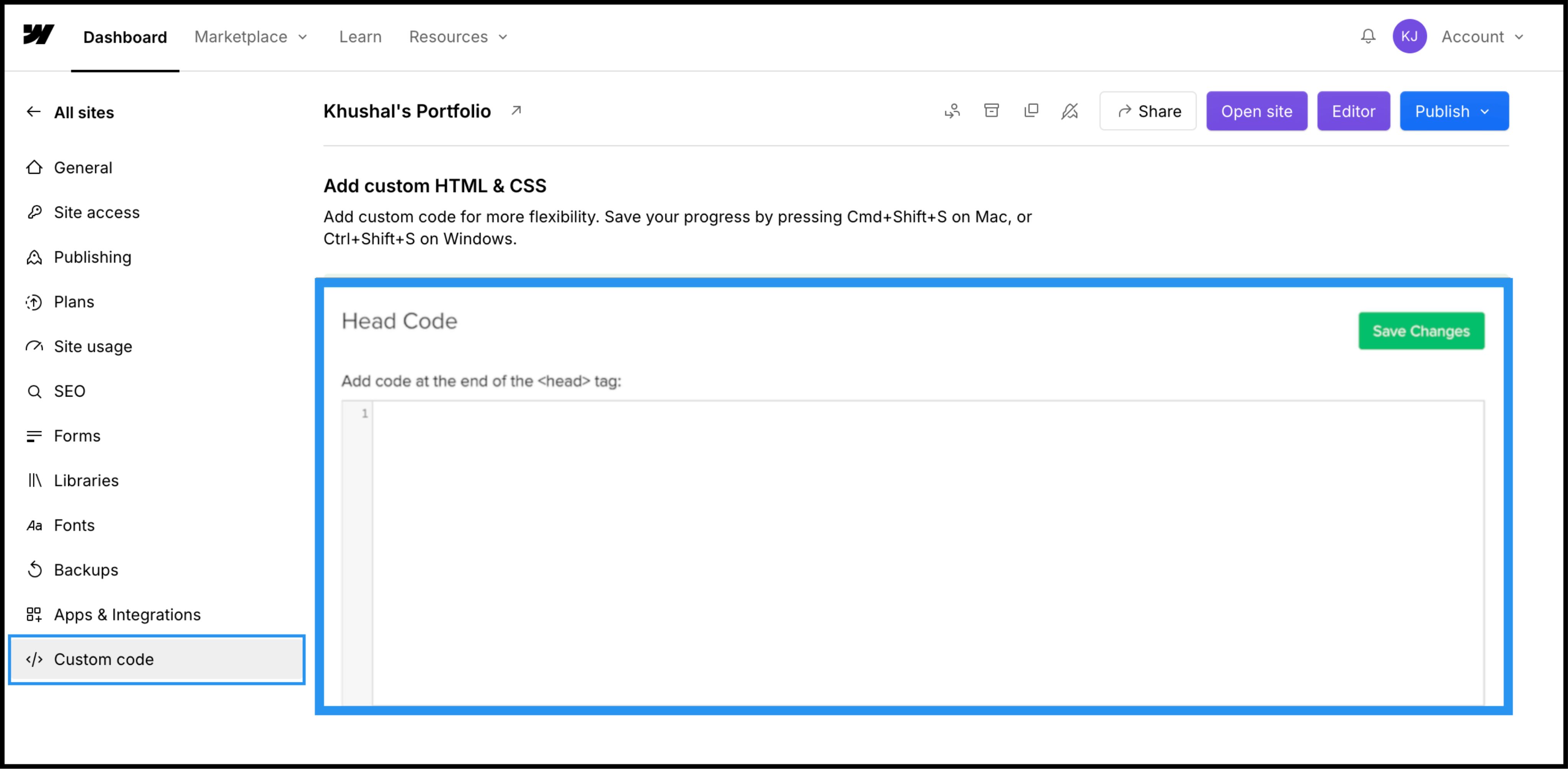
انتقل إلى كود مخصص tab in the top navigation bar.
3. الخطوة 2: حقن سكربت البنية التحتية
- 1
Scroll down to the field labeled "Head Code".
- 2
ملاحظة: Do not place this in "Footer Code," as it will delay the translation loading and cause a "flash of untranslated content."
الإجراء: الصق نص الاتصال البرمجي
Paste the following connection script into the field:
⚠️ الإعدادات الهامة
- •استبدال
YOUR_API_KEY_HEREباستخدام مفتاح API الفعلي الذي تم نسخه من لوحة تحكم MultiLipi الخاصة بك. - •Click the green حفظ التغييرات الزر في الزاوية العلوية اليمنى.
4. الخطوة 3: النشر والتحقق
Webflow does not run custom code in the Designer view. You must publish to see the engine in action.
نشر
انقر على الزر الأزرق نشر button and select your production domain (or .webflow.io staging domain).
تحقق
Open the live link.
فحص مرئي
يجب أن يظهر محول اللغة في الزاوية السفلية اليسرى.
CMS Check
Navigate to a CMS Collection page (e.g., /blog/post-1) and switch languages to ensure dynamic content translates correctly.
بروتوكول استكشاف الأخطاء وإصلاحها
- •Switcher Missing? Confirm you published the site after saving the code.
- •Plan Check: Ensure your Webflow hosting plan is active; free staging sites often limit custom code execution on custom domains.
5. Optimization & Styling
Once deployed, MultiLipi works silently in the background.
سلامة التصميم
Because we only swap text nodes, your Webflow Interactions (IX2) and scroll animations remain perfectly intact.
Switcher Customization
You can reposition the switcher using our Dashboard settings or override its CSS to match your site's specific typography.
أتمتة تحسين محركات البحث
We automatically generate the sitemap.xml entries and hreflang tags for your Webflow project, ensuring you rank in global search results without manual SEO work.