
Not every pixel of your website requires localization. Legal disclaimers often need to remain in their original jurisdiction's language; code snippets must remain in English; and admin routes should never be indexed.
MultiLipi provides a Three-Tier Exclusion System—URL, Block, and Word—giving you surgical precision over what the AI ignores.
The Three Tiers of Exclusion
Before configuring rules, understand which level of control you need:
Page-Level (URL Rules)
الإجراء: Completely disables translation for an entire page or directory.
حالة الاستخدام: Admin panels (/app/*), User Settings, or "Legally Binding" English Terms of Service.
Component-Level (Block Rules)
الإجراء: Ignores content inside specific HTML elements (divs, spans) based on their CSS Class.
حالة الاستخدام: Code blocks (), proper nouns in headers, or complex third-party widgets.
Term-Level (Word Rules)
الإجراء: Prevents specific string matches from being processed.
حالة الاستخدام: Product model numbers or non-translatable technical jargon.
Accessing the Governance Engine
To define your negative logic:
- انتقل إلى: Open your MultiLipi Dashboard and select your active project.
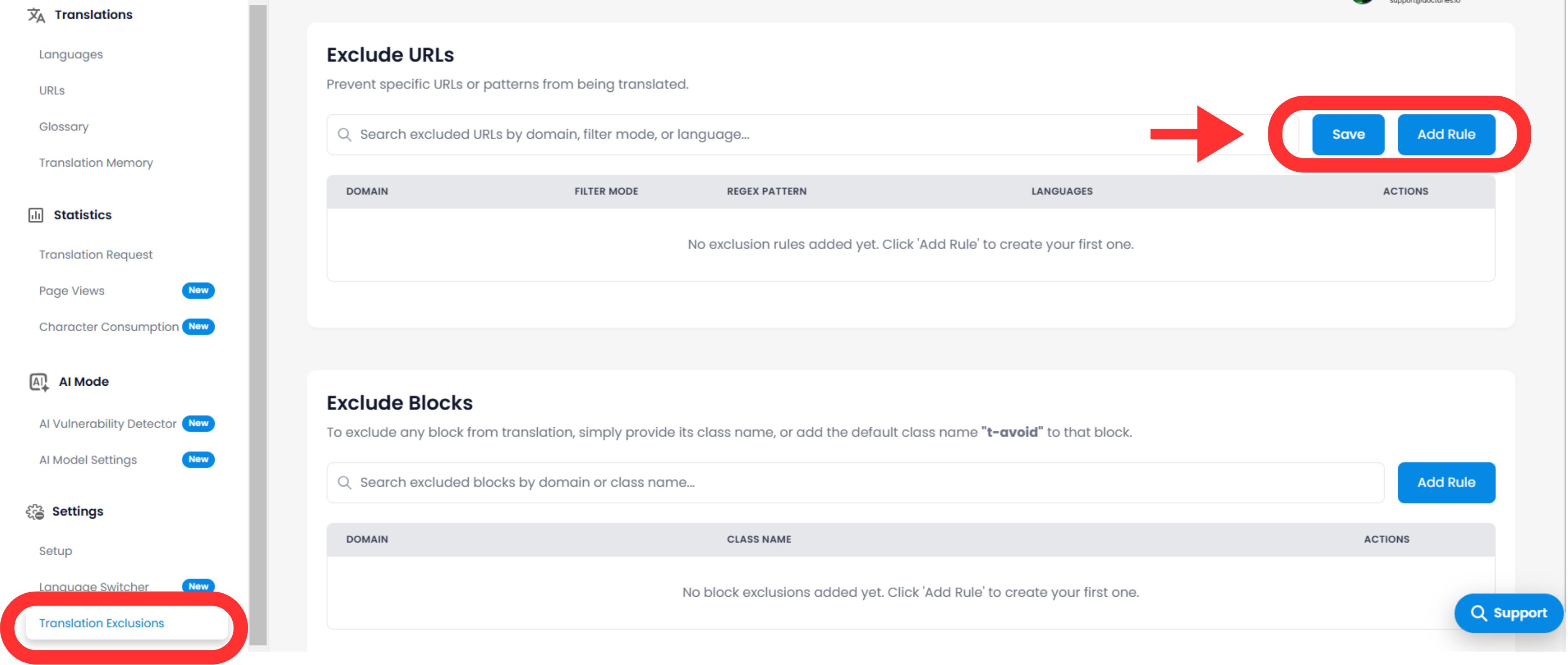
- Locate Settings: In the sidebar, scroll down to الإعدادات and select Translation Exclusions.
- Interface: You will see a list of active rules separated by category (URLs, Blocks, Words).
Configuring Logic Rules
انقر فوق Add Rule button to define a new constraint.
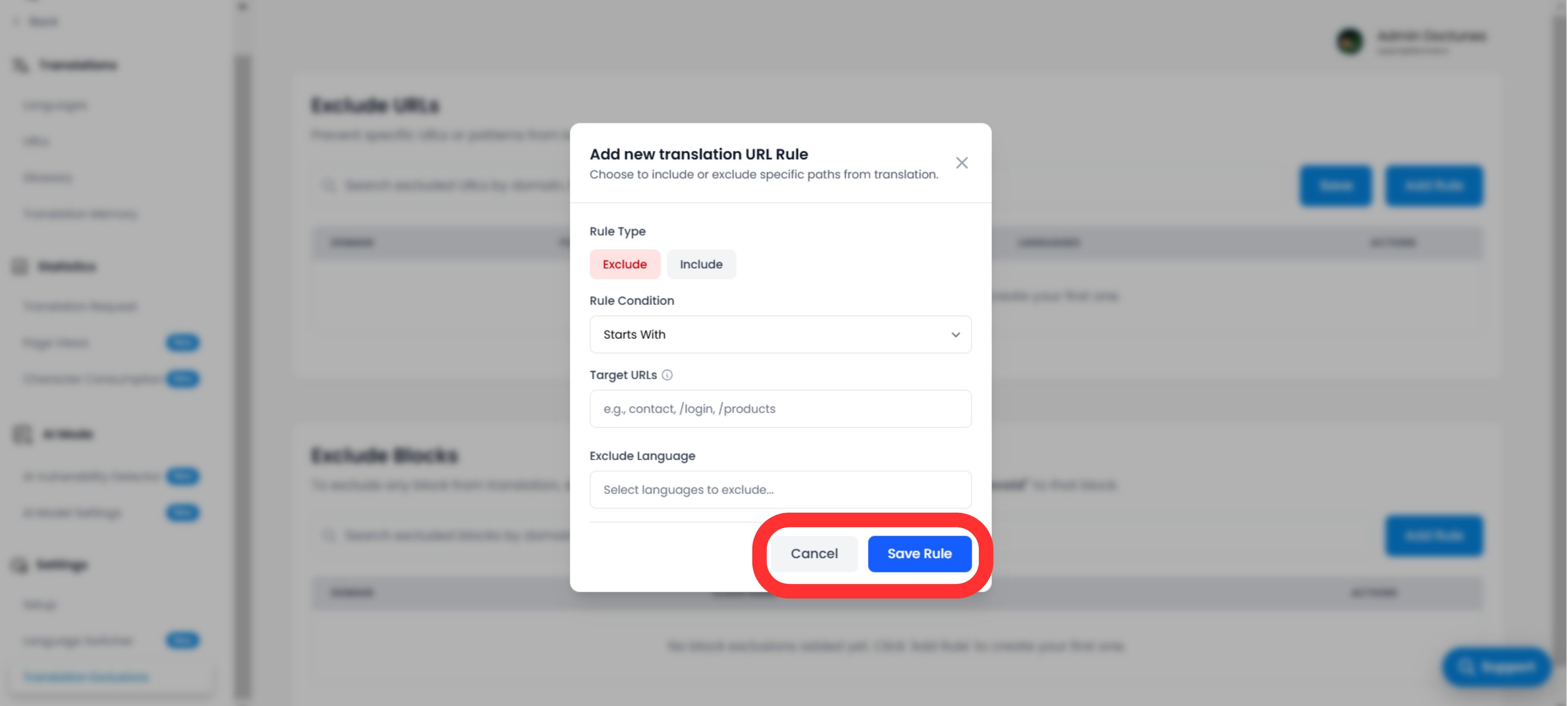
A. Defining the Pattern
You must tell the engine how to match the content:
Rule Type:
- •Starts With: Best for directories (e.g.,
/blog/excludes all blog posts). - •Ends With: Best for file types (e.g.,
.pdf). - •Contains: Wildcard match for any URL containing a specific string.
- •Exact Match: Targets a single specific page.
القيمة:
Enter the path, CSS class name (without the .), or word.
B. Scope & Behavior
Languages:
Apply the rule globally (كل اللغات) or restrict it to specific locales (e.g., Exclude /pricing only in French).
Switcher Visibility (Critical UX)
Toggle: "Hide Language Switcher"
التأثير: If you exclude a page (like a login screen), you likely want to hide the language switcher on that page so users don't try to switch languages and see nothing happen. This toggle automates that UX cleanup.
Execution & Verification
Once you click Save Rule:
Immediate Propagation
The rule is pushed to the edge network instantly.
Cache Purge
We automatically purge the cache for the affected paths to ensure the "Untranslated" version is served immediately.
Strategic Use Cases
| Rule Type | Scenario | Configuration |
|---|---|---|
| URL Rule | User Dashboard: You want the public site translated, but the logged-in app (/app/...) to remain in English. | Type: Starts With القيمة: /app/ |
| Block Rule | Code Snippets: You run a dev blog and want the tutorial text translated, but the code examples must remain valid code. | Type: CSS Class القيمة: code-snippet |
| URL Rule | Regional Legal: Your Terms of Service are only valid in English. | Type: Exact Match القيمة: /terms |