

غالبًا ما تتطلب توطين المؤسسات سير عمل غير متصل بالإنترنت. وسواء كنت بحاجة إلى إرسال 5000 نص إلى الفريق القانوني للمراجعة أو ترحيل ذاكرة ترجمة قديمة من نظام آخر، فإن MultiLipi توفر وصولاً كاملاً للقراءة/الكتابة إلى بياناتك اللغوية.
يغطي هذا الدليل بروتوكولات لـ استيعاب البيانات الخارجية (الاستيراد) و استخراج ذاكرة الترجمة (التصدير).
استيعاب البيانات (بروتوكول الاستيراد)
الأفضل لـ: التحديثات المجمعة، أو الترحيل من منصات أخرى، أو استعادة النسخ الاحتياطية.
يمكنك الكتابة فوق فهرس الترجمة المباشر الخاص بك أو تحديثه عن طريق تحميل ملف مهيكل.
الخطوة 1: الوصول إلى الطبقة اللغوية
- انتقل إلى لوحة تحكم MultiLipi الخاصة بك.
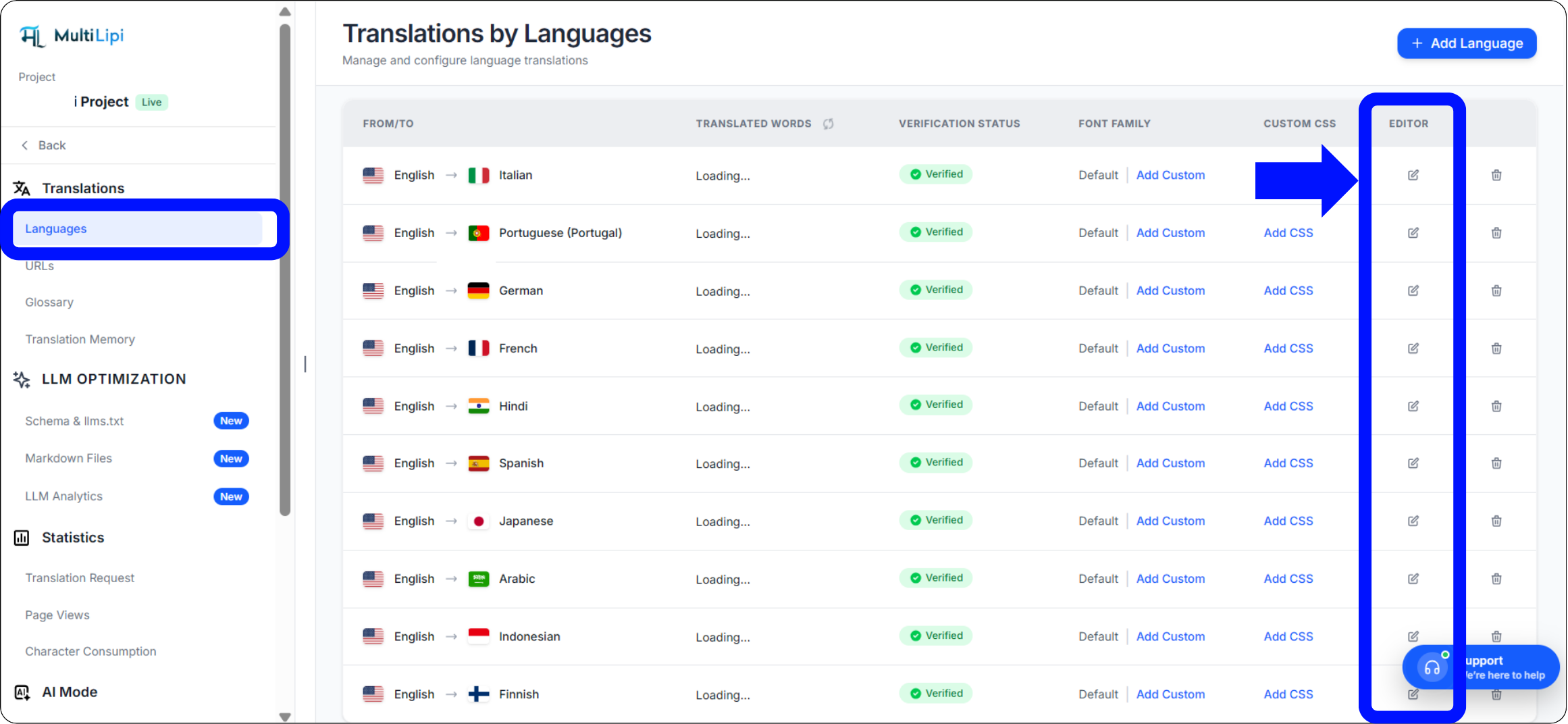
- تحديد الترجمات > اللغات من الشريط الجانبي.
- حدد زوج اللغات المحدد الذي ترغب في تحديثه (على سبيل المثال، الإنجليزية ← الهندية).
- انقر فوق أيقونة التحرير (القلم) لفتح ذاكرة الترجمة لتلك اللغوية الإقليمية.
الخطوة 2: بدء الاستيعاب
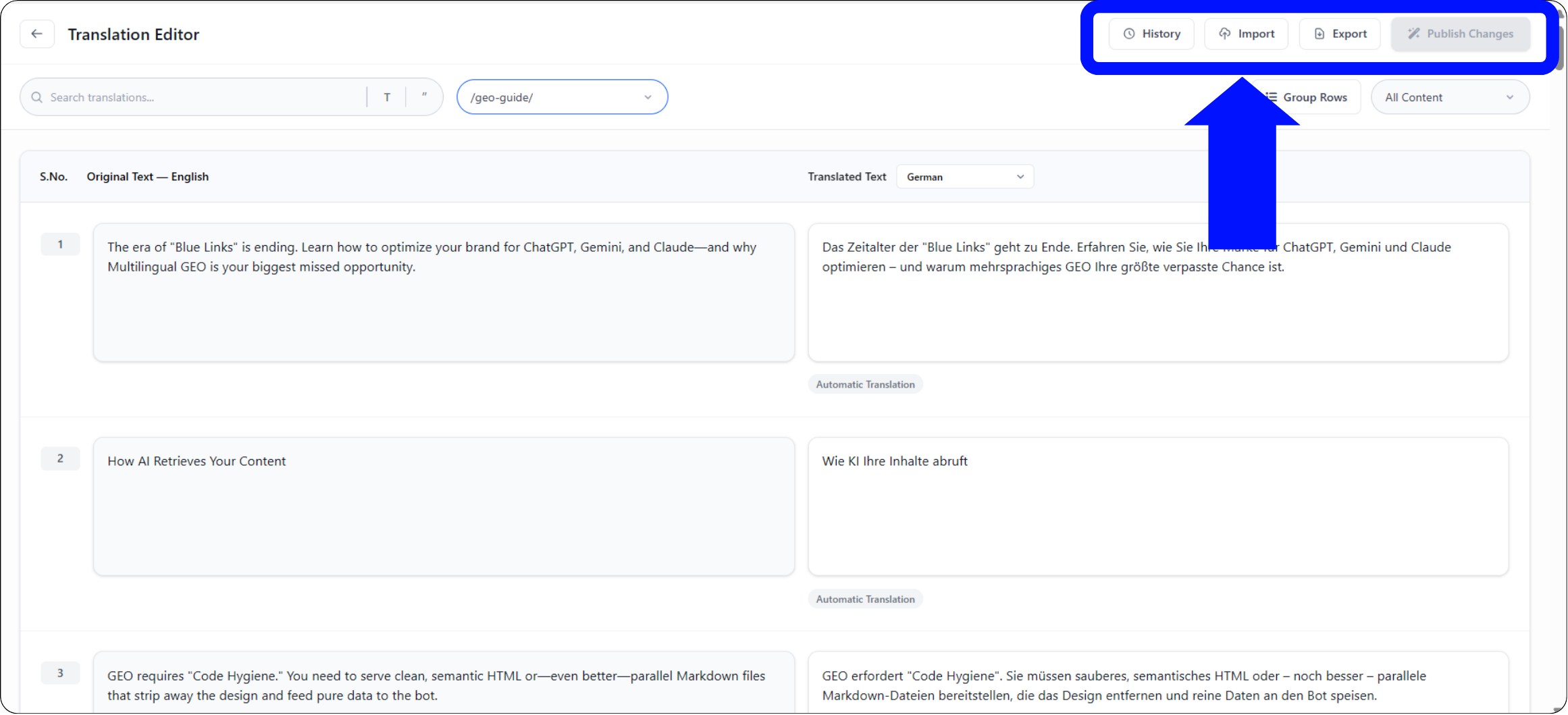
في شريط الأدوات العلوي للمحرر، انقر فوق أيقونة الاستيراد.
الخطوة 3: الرفع والتكوين
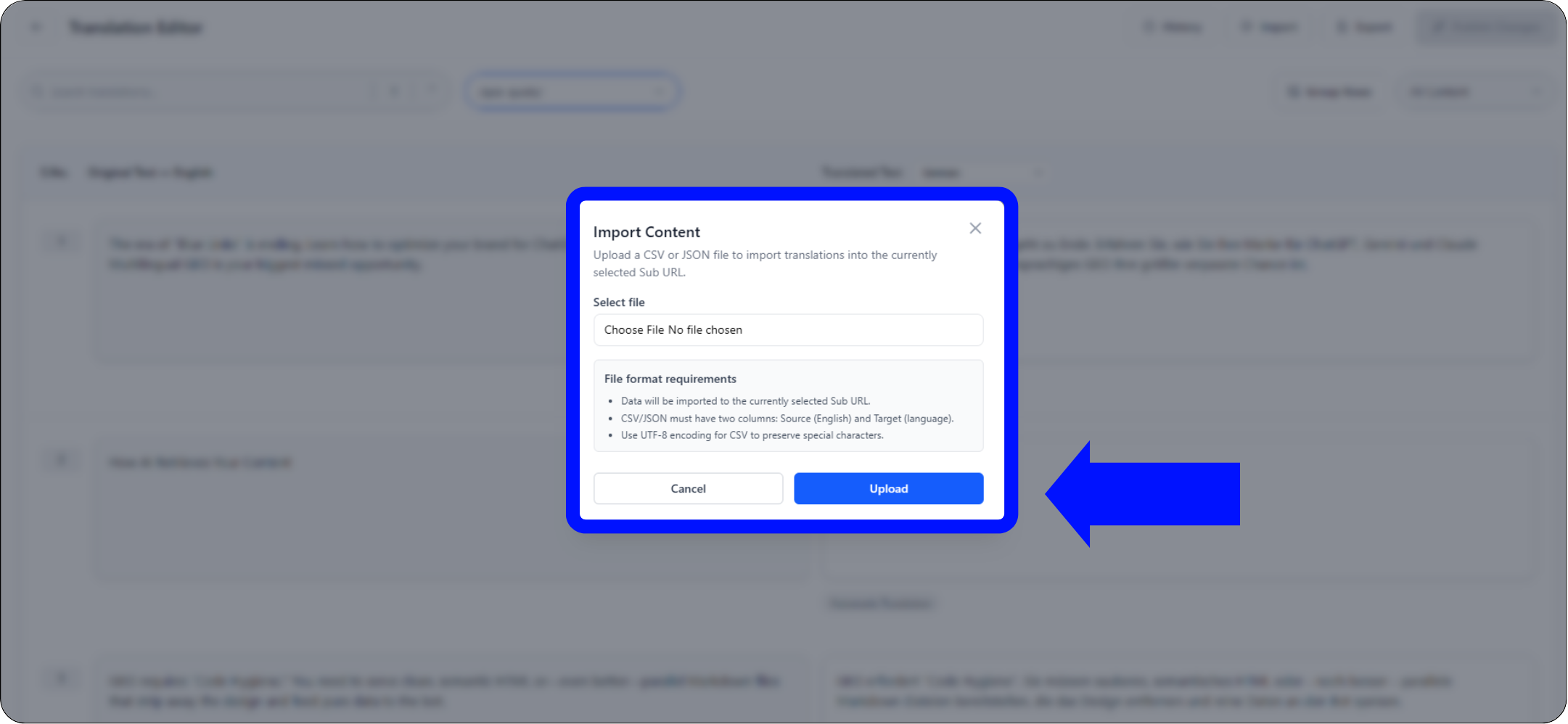
ستظهر نافذة منبثقة للتكوين:
اختيار الملف
ارفع ملفك .csv or .json الملف.
تعريف النطاق
- •عالمي: طبق هذه الترجمات على النطاق بأكمله.
- •المقيد بالنطاق: استخدم القائمة المنسدلة "عنوان URL الفرعي" لتطبيق هذه الترجمات فقط على صفحة محددة (على سبيل المثال،
/pricing).
تنفيذ
انقر تحميل.
إجراء النظام
يقوم النظام بتحليل الملف وتحديث ذاكرة الترجمة فوراً. تنتشر التغييرات الحية إلى شبكة الحافة على الفور.
استخراج البيانات (بروتوكول التصدير)
الأفضل لـ: عمليات تدقيق غير متصلة بالإنترنت، ومراجعة بشرية احترافية، ونسخ احتياطية للامتثال.
بياناتك ملك لك. يمكنك تنزيل ذاكرة الترجمة بالكامل في أي وقت.
1. الوصول إلى المحرر
انتقل إلى نفس محرر اللغة المستخدم أعلاه.
2. تنفيذ الاستخراج
انقر فوق أيقونة التصدير (بجانب الاستيراد).
3. اختيار التنسيق
اختر
.csv(للجداول البيانية/Excel) أو.json(للمطورين).4. النتيجة
يقوم النظام بإنشاء ملف منظم يحتوي على كل سلسلة مصدر وترجمتها الحالية.
حالات الاستخدام الاستراتيجية
| العملية | سيناريو |
|---|---|
| تدقيق غير متصل بالإنترنت | قم بتصدير صفحة "الشروط القانونية" الخاصة بك إلى CSV وأرسلها إلى قسمك القانوني لمراجعتها في Excel. قم باستيراد الملف المعتمد مرة أخرى. |
| مراجعة احترافية | قم بتصدير المحتوى المترجم تلقائيًا، وأرسله إلى مترجم بشري معتمد، وقم باستيعاب تصحيحاتهم بشكل مجمع. |
| استراتيجية النسخ الاحتياطي | قم بإجراء تصديرات أسبوعية للحفاظ على نسخة احتياطية محلية "باردة" لأصول الترجمة الخاصة بك. |